![[Translate to English:] Studentenwerk Oldenburg](/fileadmin/user_upload/logos/logo.svg)
![[Translate to English:] Studentenwerk Oldenburg](/fileadmin/user_upload/logos/Logo_ICON_SWO_Eckig_RGB.png)

Pay with the CampusCard
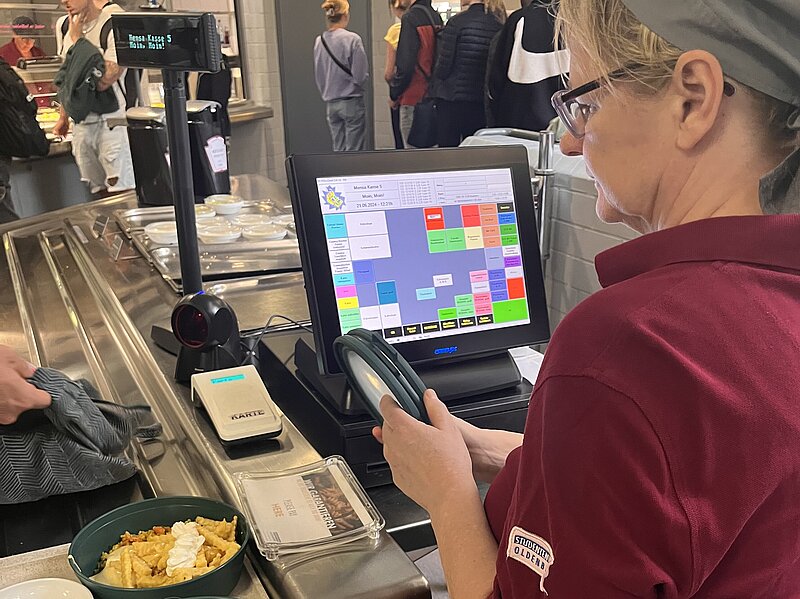
It couldn't be simpler. You put together your menu as you wish and take it to the checkout. There you place your card on the reader. You will first be shown your credit balance and then your remaining credit at the end of the process.
Please make sure that your CampusCard is always sufficiently topped up. It is not possible to mix cash and card payments. You can check the balance on your CampusCard on the top-up machine or with the free apps "MensaCard - Mensa-Guthaben" or "Mensa-Guthaben".
Topping up the CampusCard
There are so-called top-up points where you can top up your CampusCard with cash or various cashless methods: Giro card, debit or credit card, Google Pay and Apple Pay. Topping up at the machines is easy: just follow the instructions on the screen!
Please note the following:
- The maximum amount is 75 euros.
- The minimum amount at the cash machines is 5 euros. You must top up at least 25 euros at the cashless machines.
- Cash top-up machines accept banknotes worth 5 euros, 10 euros, 20 euros or 50 euros.
- The cash top-up machine does not change money and cannot pay out money.
- There is no charge for topping up cards.
The card can be topped up at the following locations:
Jade University
Wilhelmshaven Campus
- Recycler in the main building/cafeteria
- Card revaluator in the canteen building
- Cash registers in the cafeteria (revaluation and devaluation of the card, payment function)
- Revalue machines in the library, also available during the lecture-free period
Oldenburg campus
- Cash desks in the cafeteria (revaluation and devaluation of the card, payment function)
- Card revaluators in the cafeteria foyer
- Revaluator in the library, also available during the lecture-free period
Elsfleth campus
- Cash registers in the cafeteria (revaluation and devaluation of the card, payment function)
- Revalue machines in the library, also available during the lecture-free period
Emden/Leer University of Applied Sciences
Emden Campus
- Bar revaluator in the foyer of the cafeteria, also available during the lecture-free period
- Cash registers in the cafeteria and café lounge (upgrading and devaluation of the card, payment function)
Campus Leer
- Revalue machines in the main building, also available during the lecture-free period
University of Oldenburg
Haarentor Campus
- Revaluators in the foyer of the canteen, also available during the lecture-free period
- Cash registers in the cafeteria and the CaféBars (upgrading and devaluation of the card, payment function)
- Cash desks in the cafeteria (payment function)
Campus Wechloy
- Revaluator in the foyer of the main entrance, also available during the lecture-free period
- Cash register in the cafeteria (revaluation and devaluation of the card, payment function)
- Cash registers in the canteen (payment function)
Payment of credit balances

Credits from valid cards can be paid out at the cash desks of the cafeterias and CaféBars of the Studierendenwerk Oldenburg. Payment is made on presentation of the CampusCard. There is no authorisation check of the person presenting the card.
To have credits from defective cards paid out, please contact the Studierendenwerk's IT department: campuscard(at)sw-ol.de
Validity
Each card has a validity date. If this date is exceeded, there is no entitlement to discounted prices (e.g. student rates in the canteens). There is no entitlement to use the card beyond the expiry date. Cardholders whose CampusCard has passed its expiry date should contact the card office at their university to have the validity of the card updated. The CampusCard will then be reassigned to the then valid tariff the next time it is used.

What happens if I lose my CampusCard?
University of Oldenburg
If your CampusCard is lost or stolen, please report this immediately:
- by telephone to the Service Desk +49 (0)441 - 798-5555 or
- in Stud.IP with the function Block CampusCard under Profile > CampusCard
Try to order a new CampusCard as soon as possible. As soon as the replacement card has been produced, you will be informed by e-mail. If you have specified a personal collection at the Student Service Centre (SSC), please bring an ID or a corresponding authorisation with you to collect the card.
Your previous card will then be blocked for all systems. If a functional card is found, it can be unblocked and used again as long as no replacement card has been ordered. The University of Oldenburg is not liable if the CampusCard is lost.
Emden/Leer University of Applied Sciences
If you lose your CampusCard, you can apply for a replacement card using theCampusCard replacement card application at the Enrolment and Examination Office.
The replacement card is free of charge for
- Change of name
- electronic defect with visually undamaged card
- Theft with a police report
- in particularly justified cases of hardship
In all other cases such as
- Loss
- Theft without police report
- Damage due to improper use
a fee of 15 euros will be charged.
Any remaining money on your CampusCard can be refunded with the Application for refund of remaining amount be paid out.
Jade University
If your CampusCard is lost or no longer works, you should arrange for it to be cancelled immediately. You can do this via the Service desk of the Jade University. Please state "loss of card" as the reason and indicate whether a new card is required or whether your studies will be terminated. A replacement card can only be issued after the card has been completely cancelled.
When requesting a new CampusCard: For this purpose, a written Application for a replacement card is required. The issue of a replacement card in the case of personal fault is subject to a fee of 15 euros.